TruVideo
I reorganized the Repair Order while dealerships kept using it. Most of the work was already there. The screen gave it almost no hierarchy.
Visit TruVideo- ROLE
- Senior Product Designer
- SCOPE
- Platform Modernization
- YEAR
- 2021–2026
- VIA
- Kenility
The Repair Order already held the work. It just had no hierarchy.
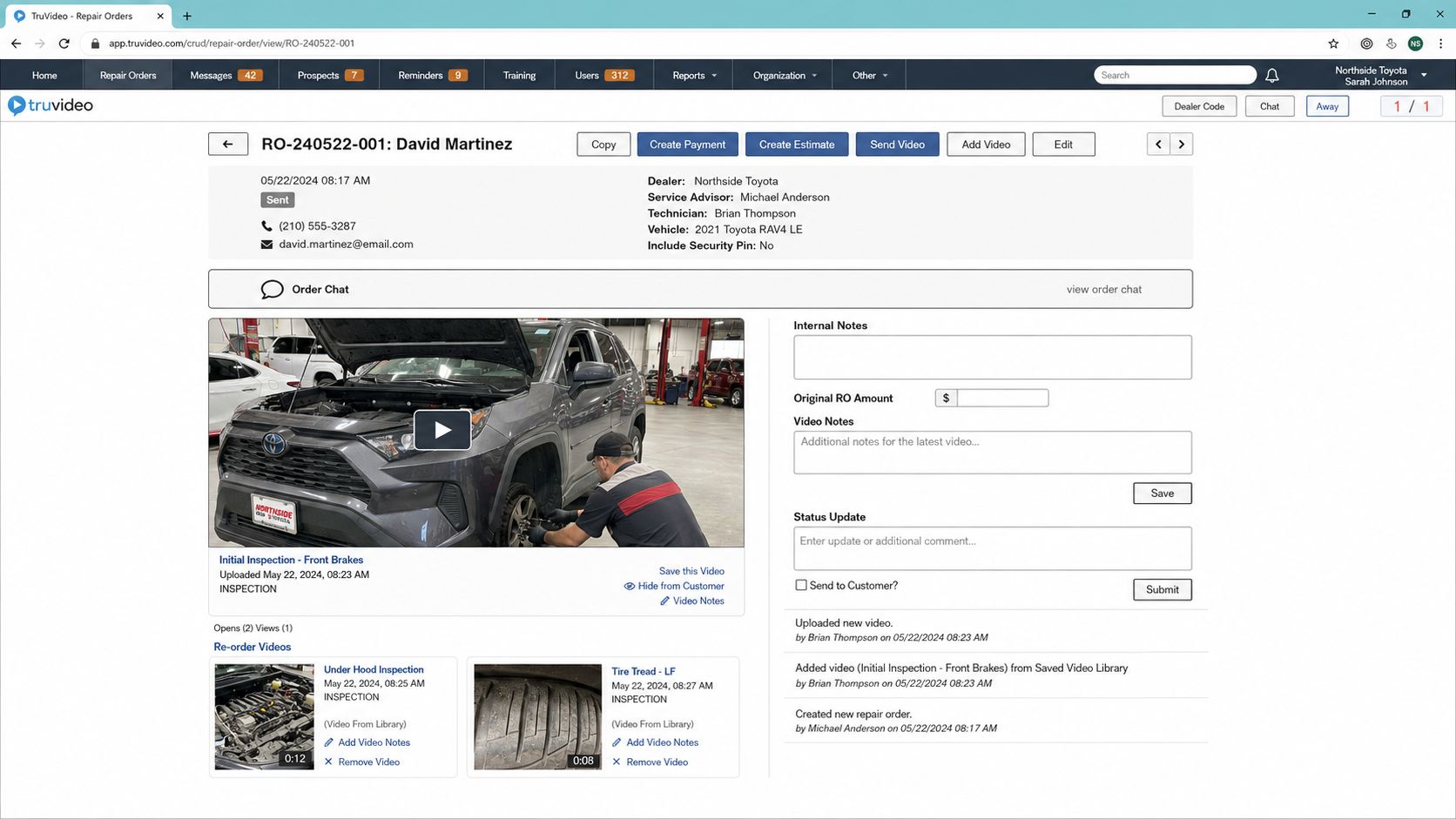
Inspections, estimates, payments, media, notes, status changes, and customer communication were already part of the product. Almost all of them competed for the same attention.
I worked across much of TruVideo’s suite over four years. This case stays with the Repair Order because every row in the Ledger led there. It was where the advisor had to understand the job and contact the customer.
The Repair Order could open from the Ledger or stand on its own.
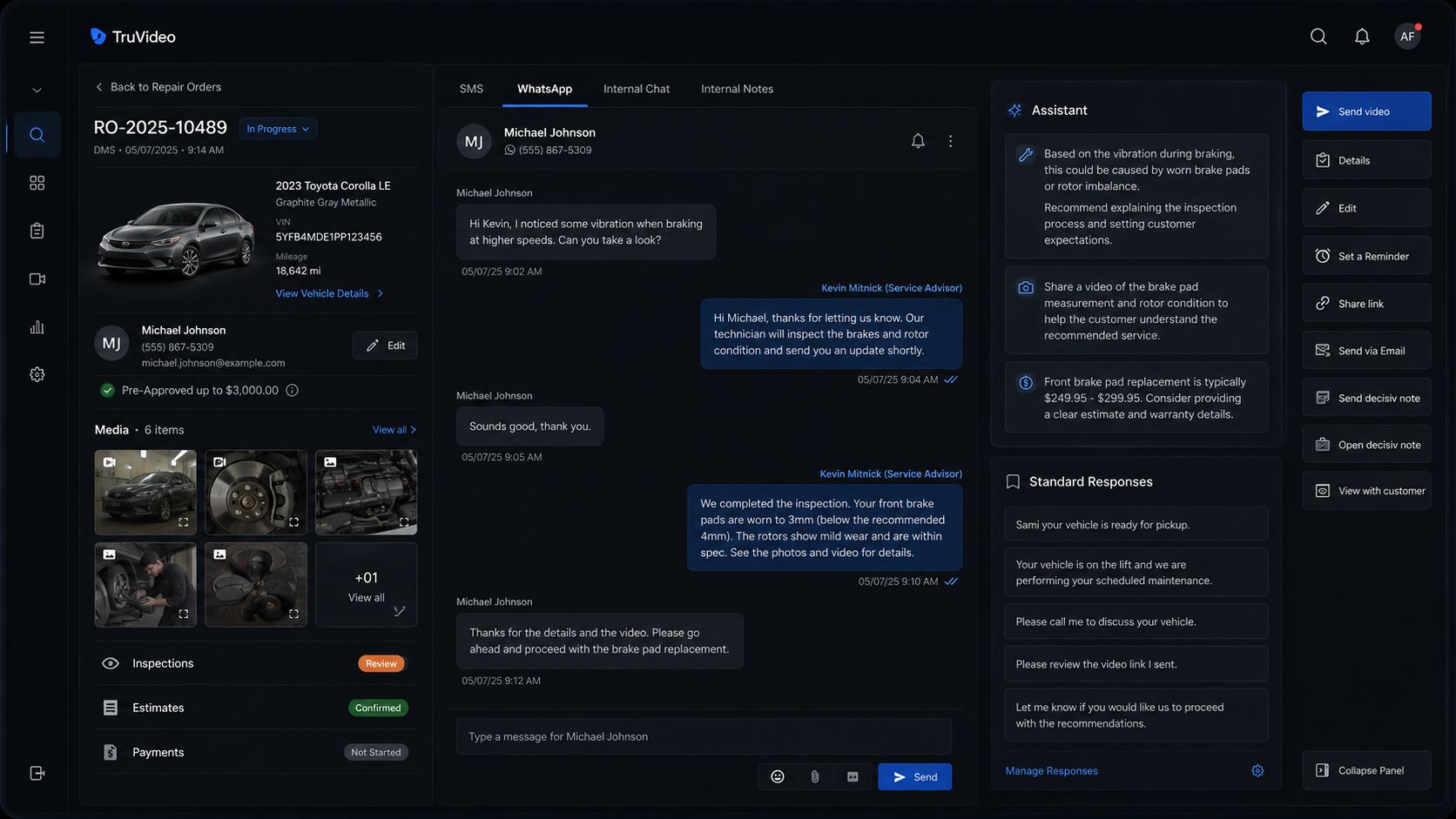
A standalone Repair Order 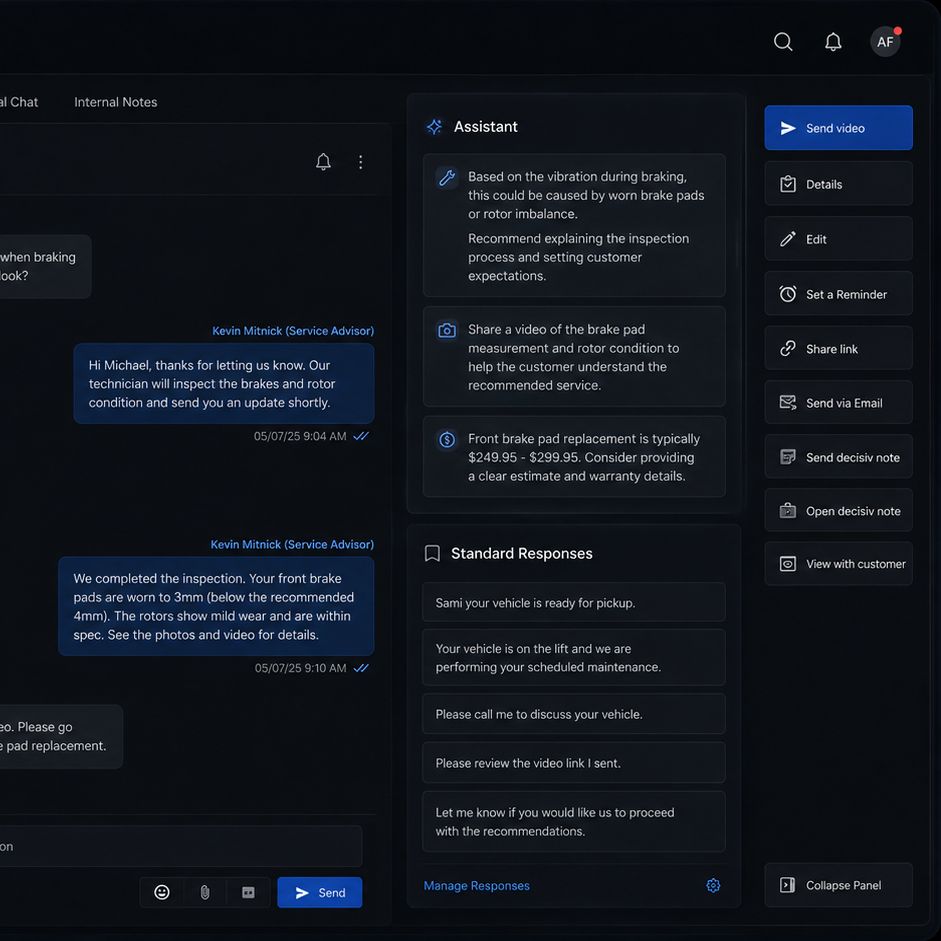
Assistance enabled by contract
A Product Owner proposed treating the Repair Order more like a hub. We went through more than fifteen iterations. The first direction was a panel that opened from a Ledger row. The final model kept that path and gave each order its own URL. An advisor could stay in the Ledger, open several orders in separate browser tabs, or copy a link for a coworker.
Customer Success had told us why those separate tabs mattered. Advisors were already opening each Repair Order that way and moving through them one by one.
I kept the vehicle and order details on the left, the conversation in the center, and the tools for what came next on the right.
AI assistance was the new layer. TruVideo announced its AI suite in March 2023. Smart Replies, Professionalization, Translation, and Assistant could be enabled separately under each dealership’s contract. The conversation gave Assistant its context, so it could suggest replies or surface a relevant shortcut. The advisor or salesperson still chose what to send.
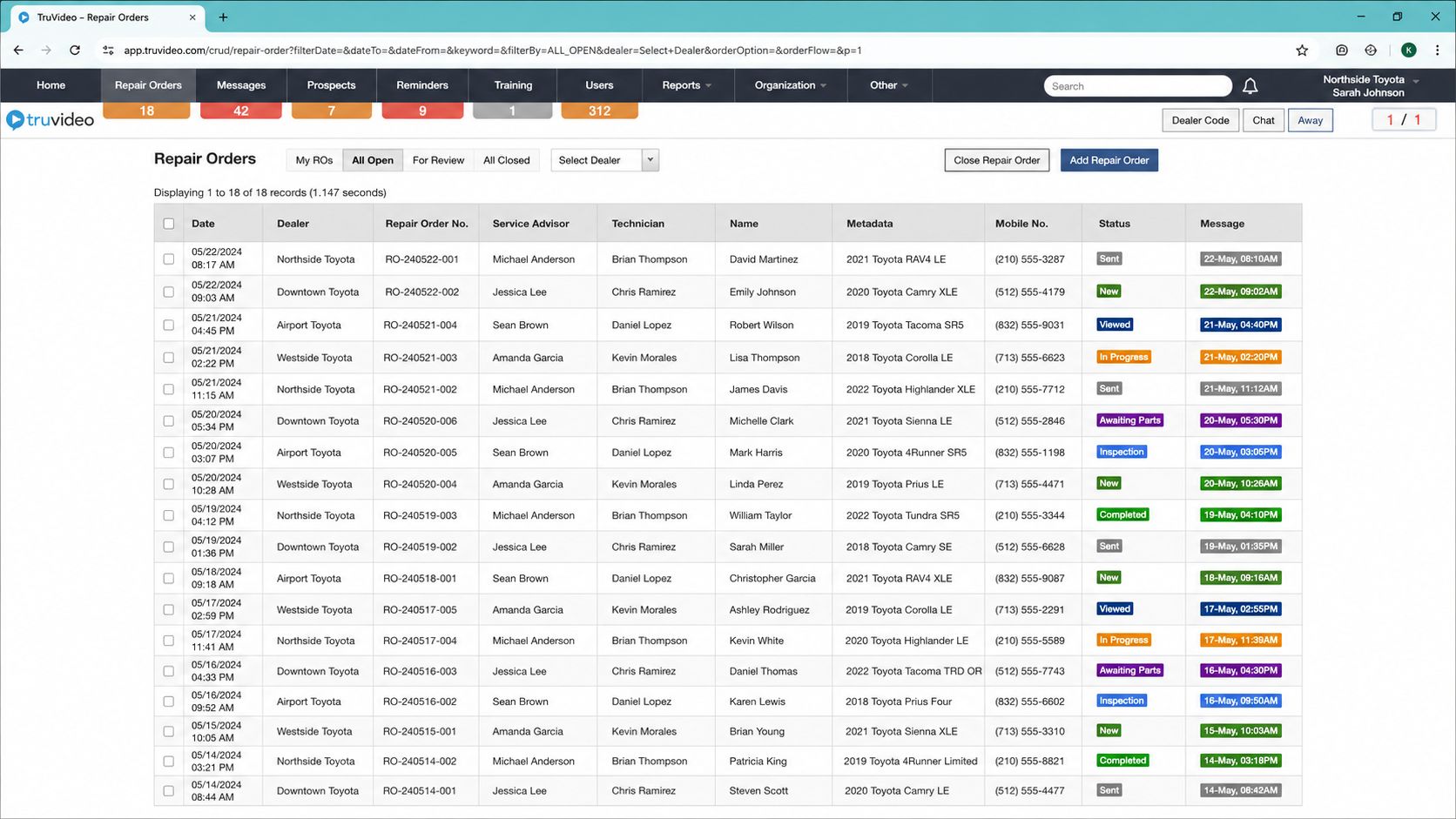
Before: every order carried the same visual weight After: business rules lift Needs Attention orders above the rest
The new interface shipped, rolled back, and returned with a switch.
Previous interface Redesigned interface
I had argued for starting with the Ledger because it was the screen people used to enter every order. The product decision went the other way. Until the Ledger’s turn came, the old list opened the new Repair Order. I designed for that handoff.
The redesigned interface shipped while dealership employees were already using the platform. Customer Success reported complaints from several dealerships: people could no longer find what they needed. The team rolled it back.
We later reintroduced it with a switch. Existing dealerships could return to the previous interface, while dealerships joining after that transition started directly on the new one.
Engineering migrated the product from its legacy stack to Angular and Angular Material, then later to React, one part at a time. My specifications covered creation flows, empty states, media behavior, panels, modals, and the Full HD layout the Repair Order had to support. I designed and specified the interface. I did not write TruVideo’s production code.
A technician recorded the evidence once. It followed the Repair Order to the customer.
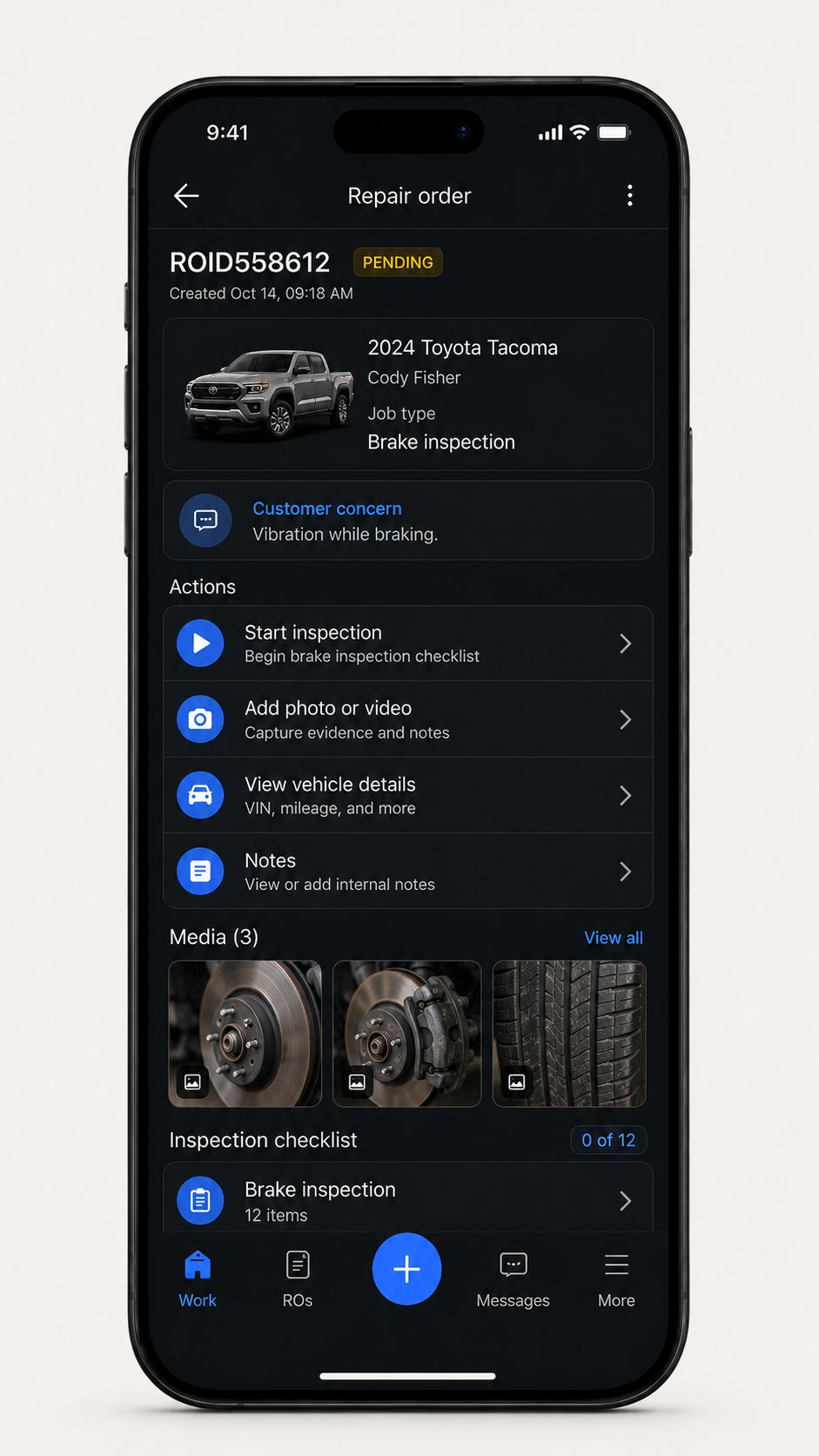
Capture starts in Technician App 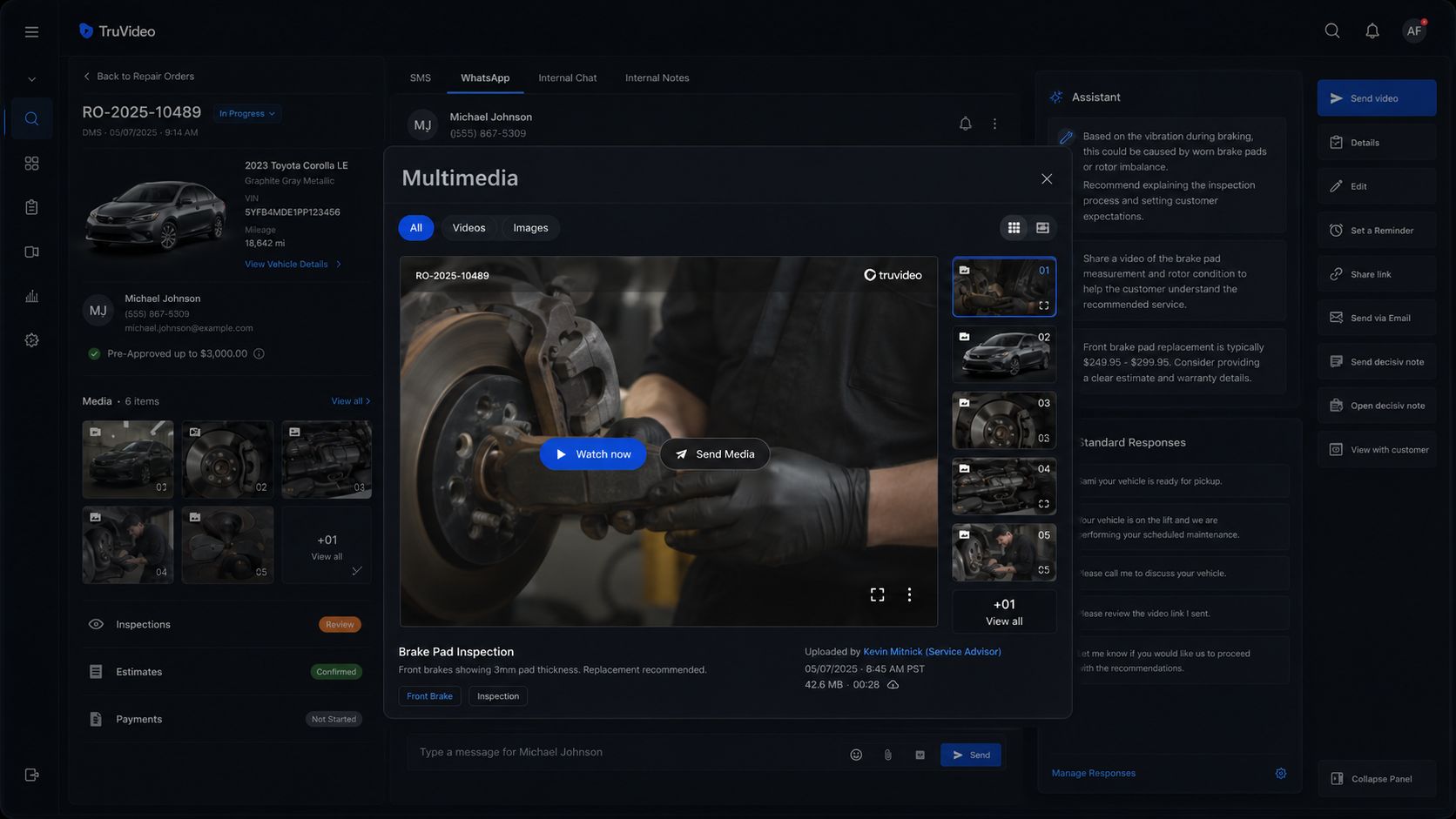
Reviewed from the Repair Order 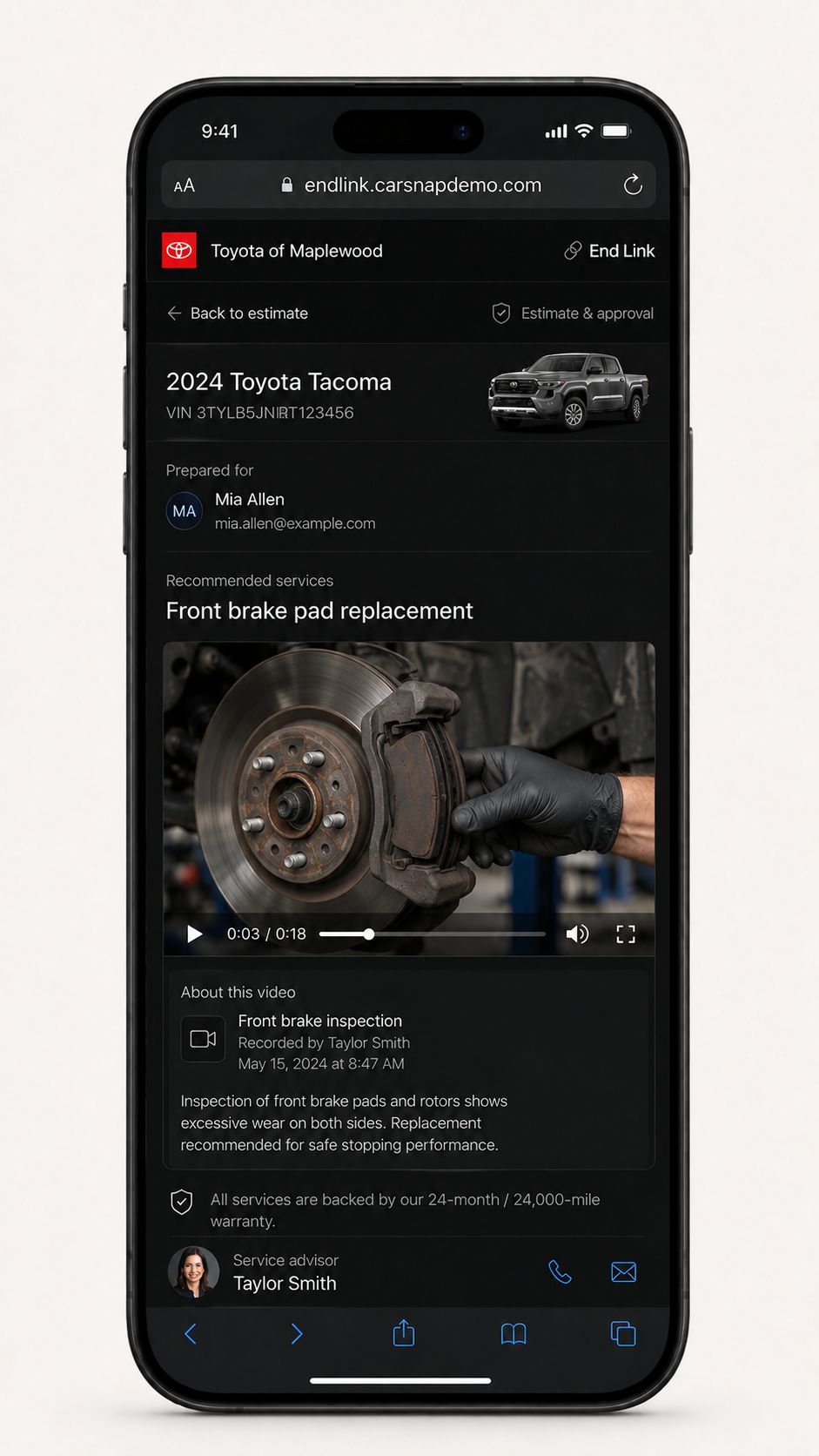
Played in End Link
TruVideo’s own team trained dealership technicians and gave them recording guidance. Production media was captured in landscape at 16:9. I also explored portrait layouts, but as far as I know they did not ship.
The Technician App sent each recording into a shared media pool. It stayed related to its Repair Order and was also available in Media Gallery. Inside the order, the advisor could open it in a modal or keep it playing in Picture-in-Picture while reading the conversation.
Send to customer updated End Link. The first time it was sent, the customer received an SMS with the link.
The same components had to work across the Ledger, Repair Order, End Link, and Technician App while supporting dealership themes and localization. By 2021, TruVideo was already taking that service model into material handling. UK was one concrete market in the roadmap, and French was one of the languages we explored.
Shared UI patterns
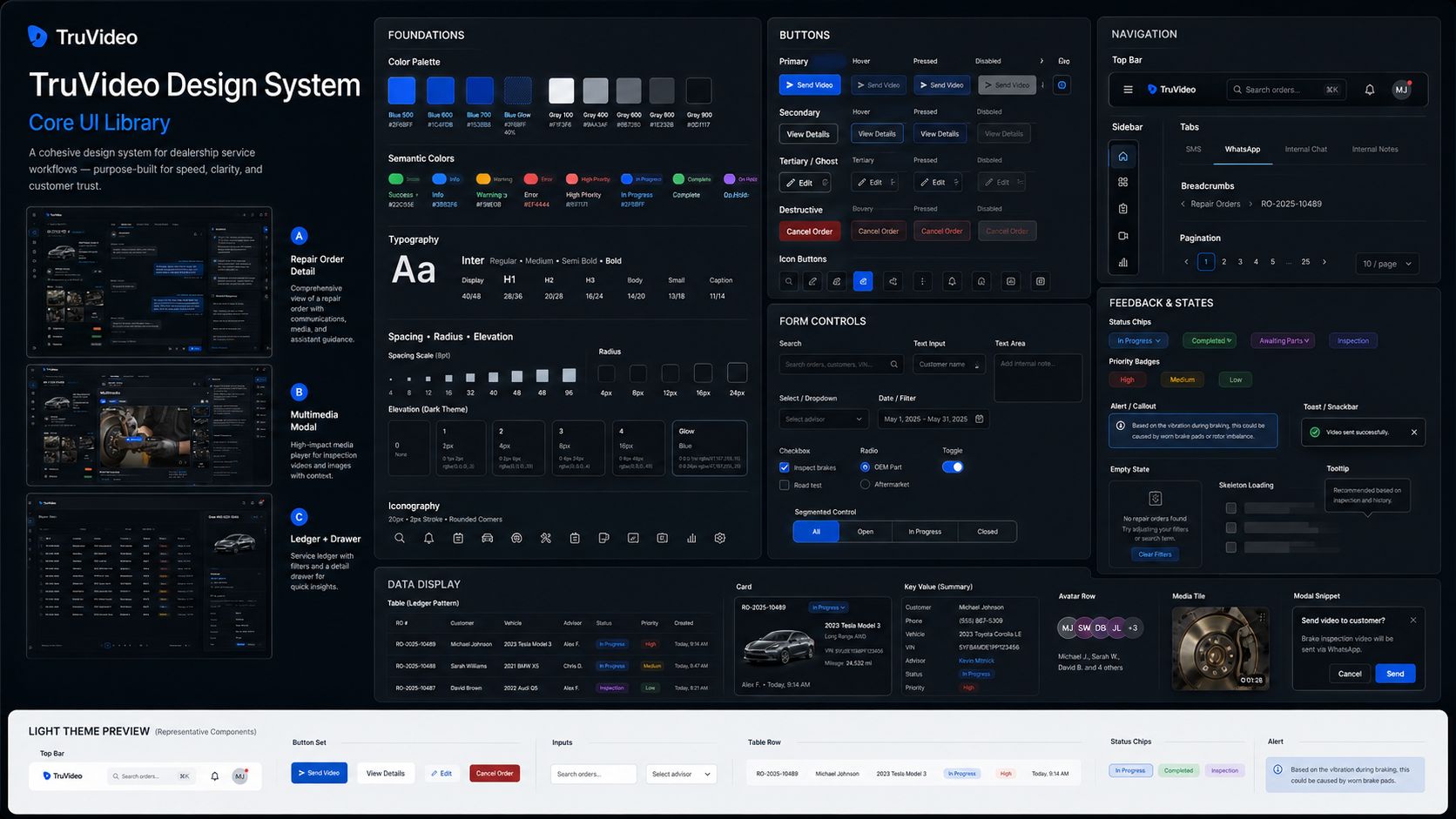
Tokens, components, and states 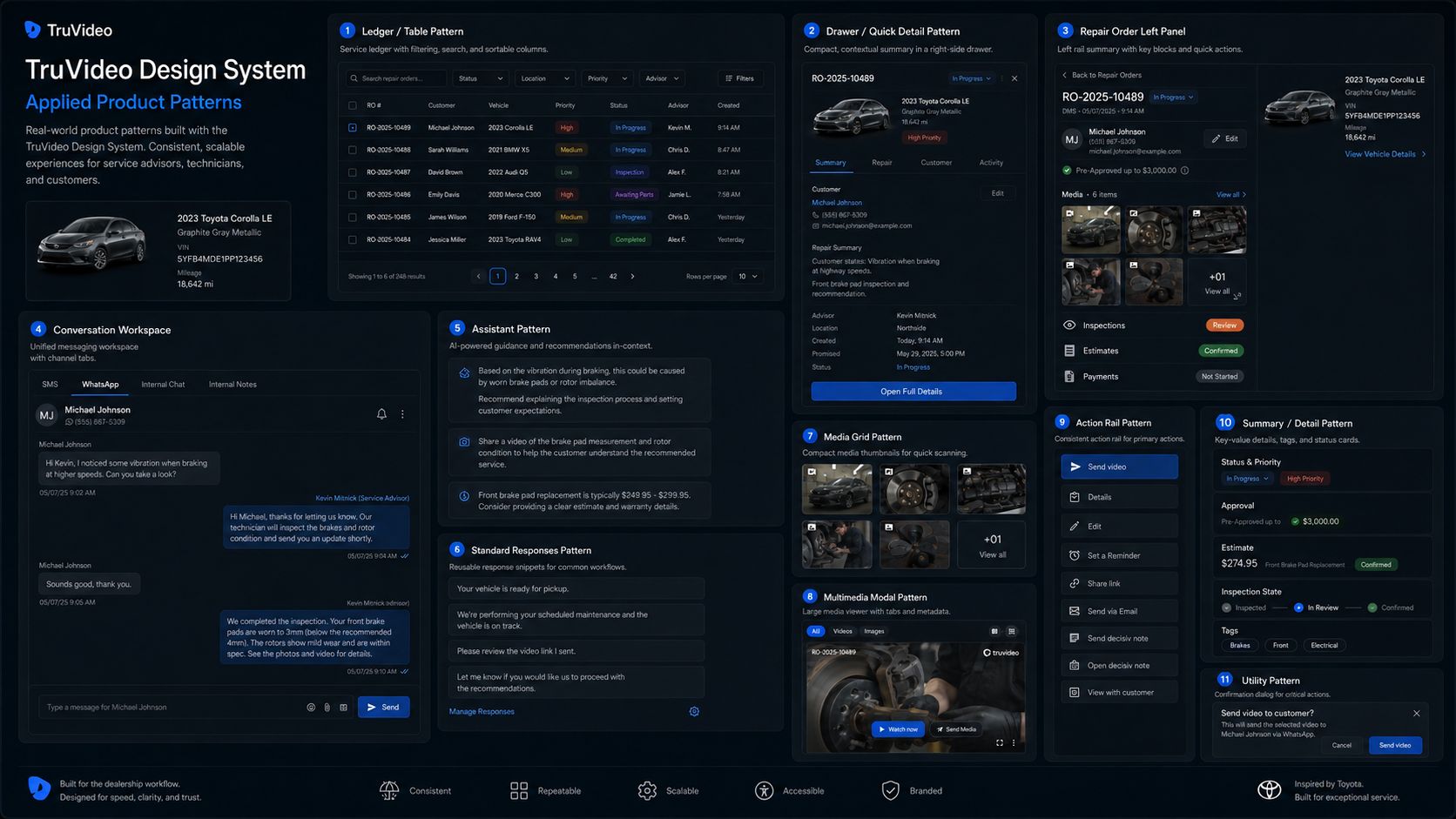
The same pieces across products
End Link for a fictional Toyota dealership
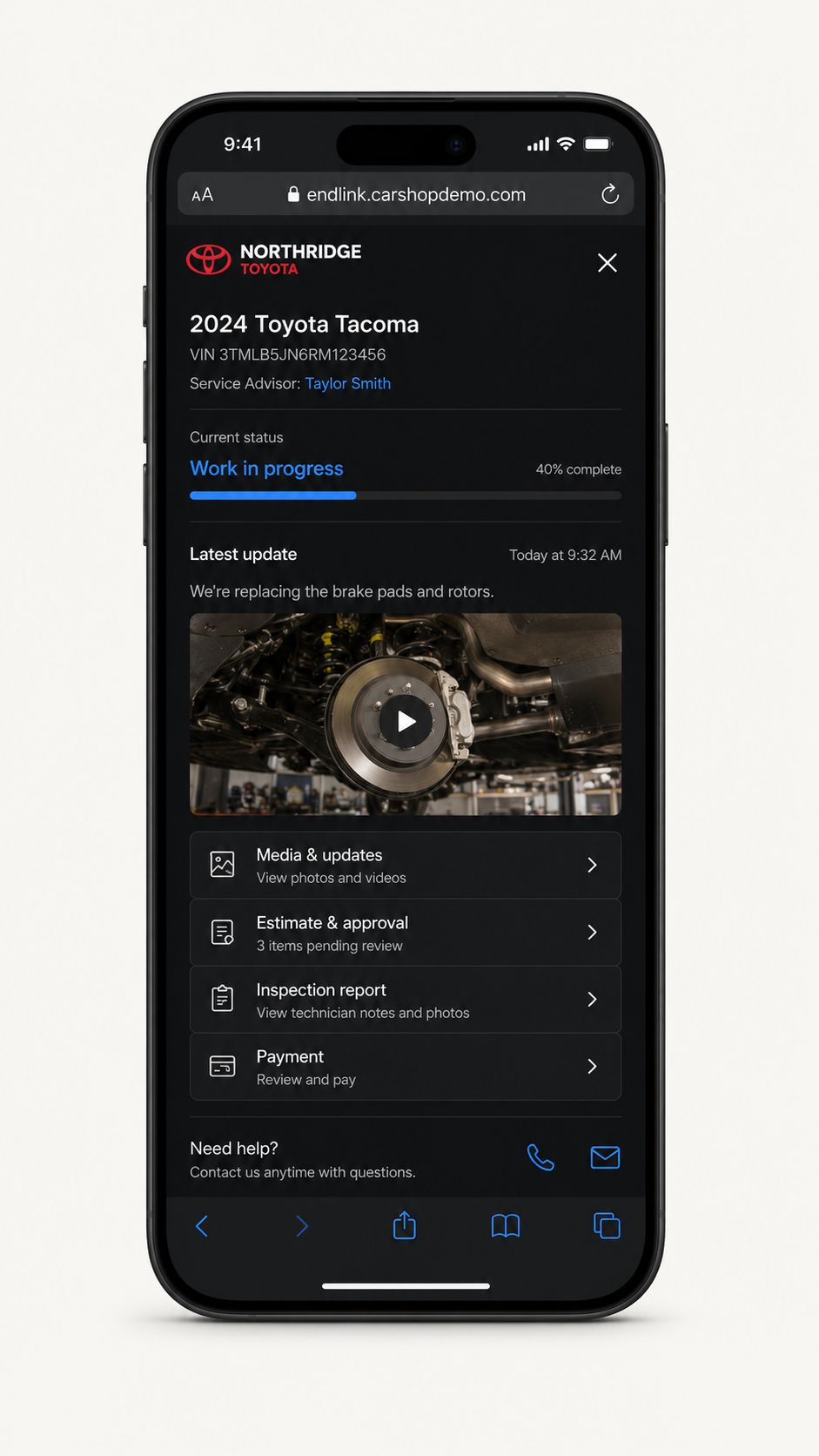
Current state 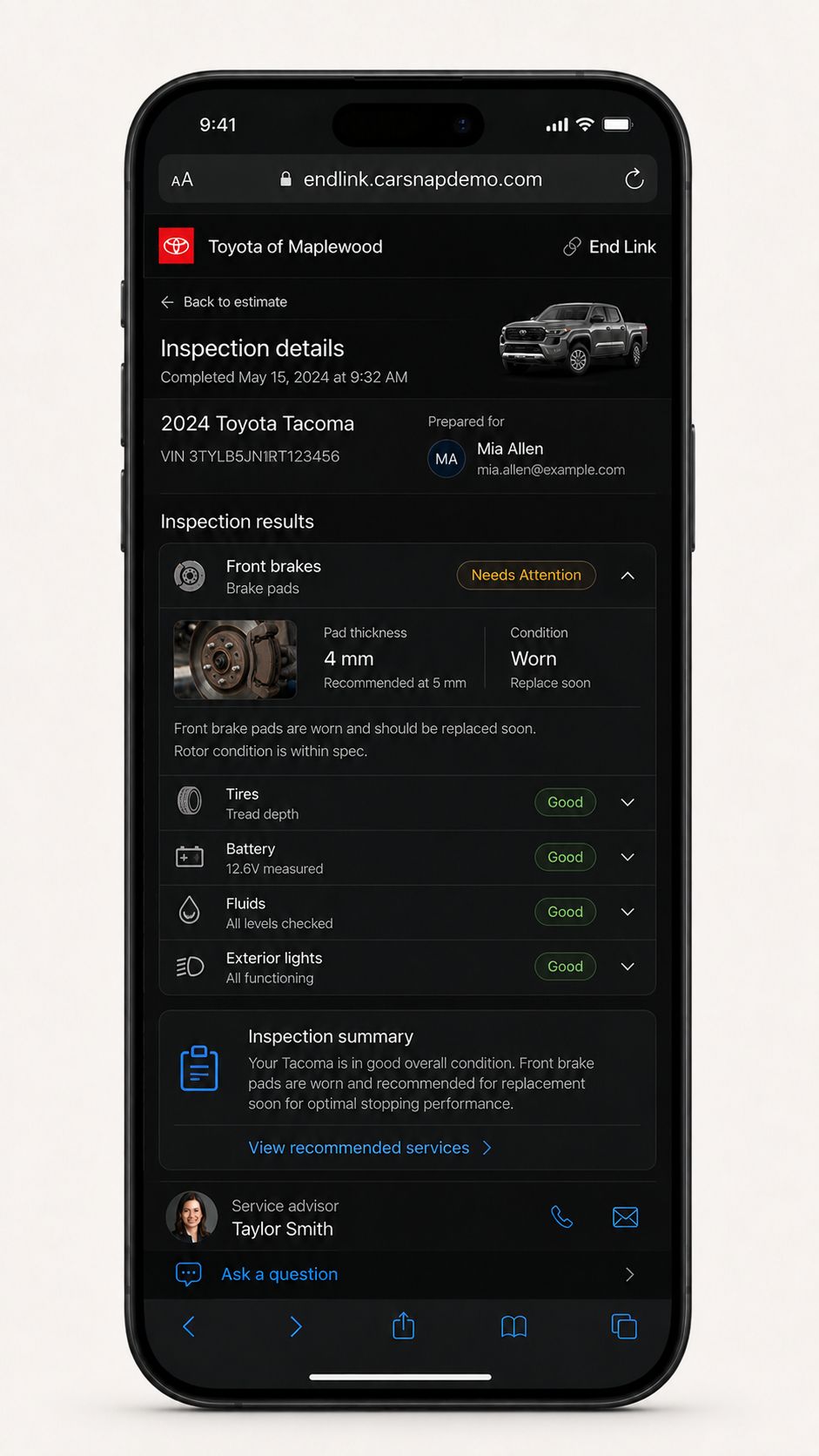
Inspection 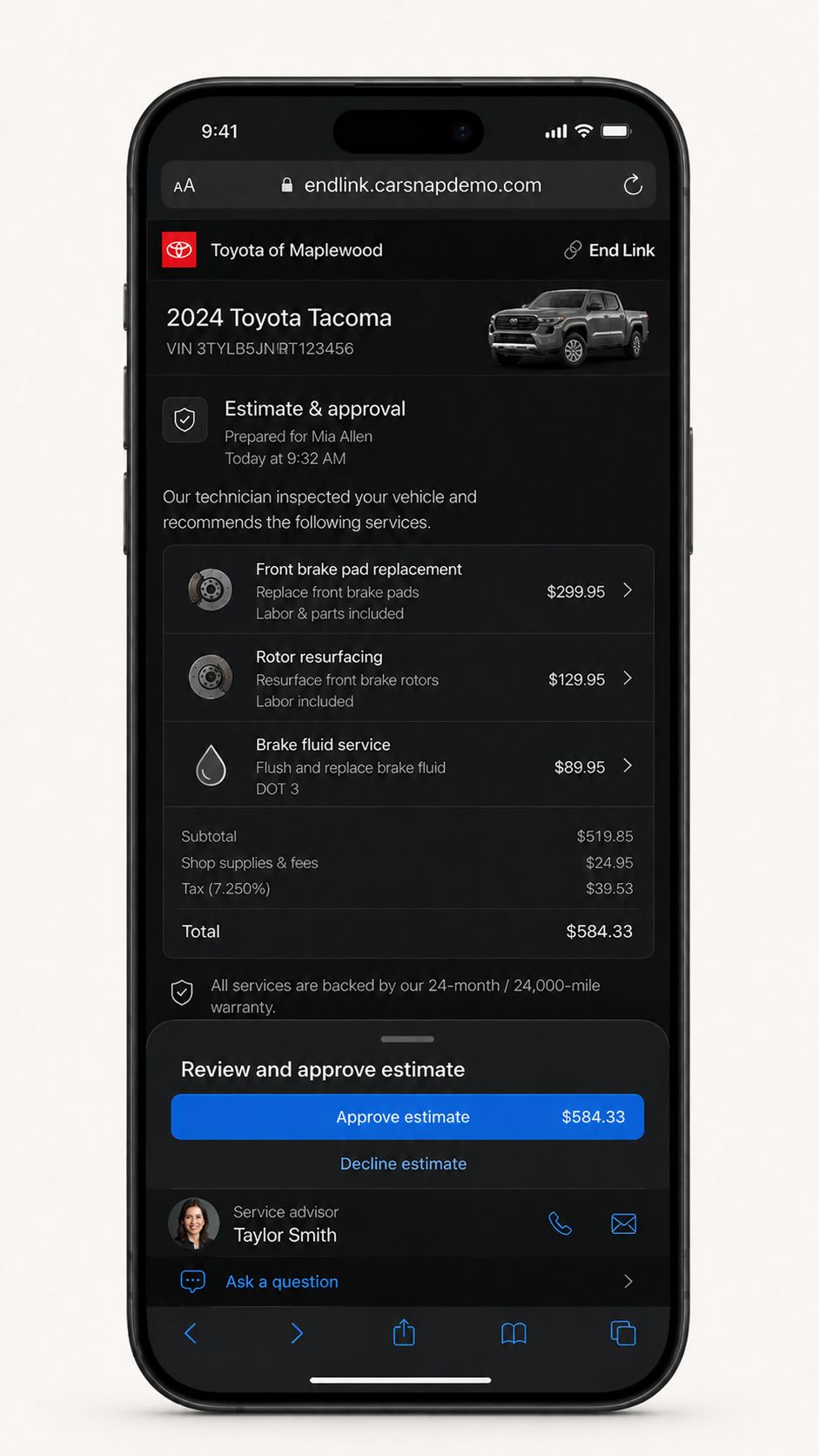
Decision 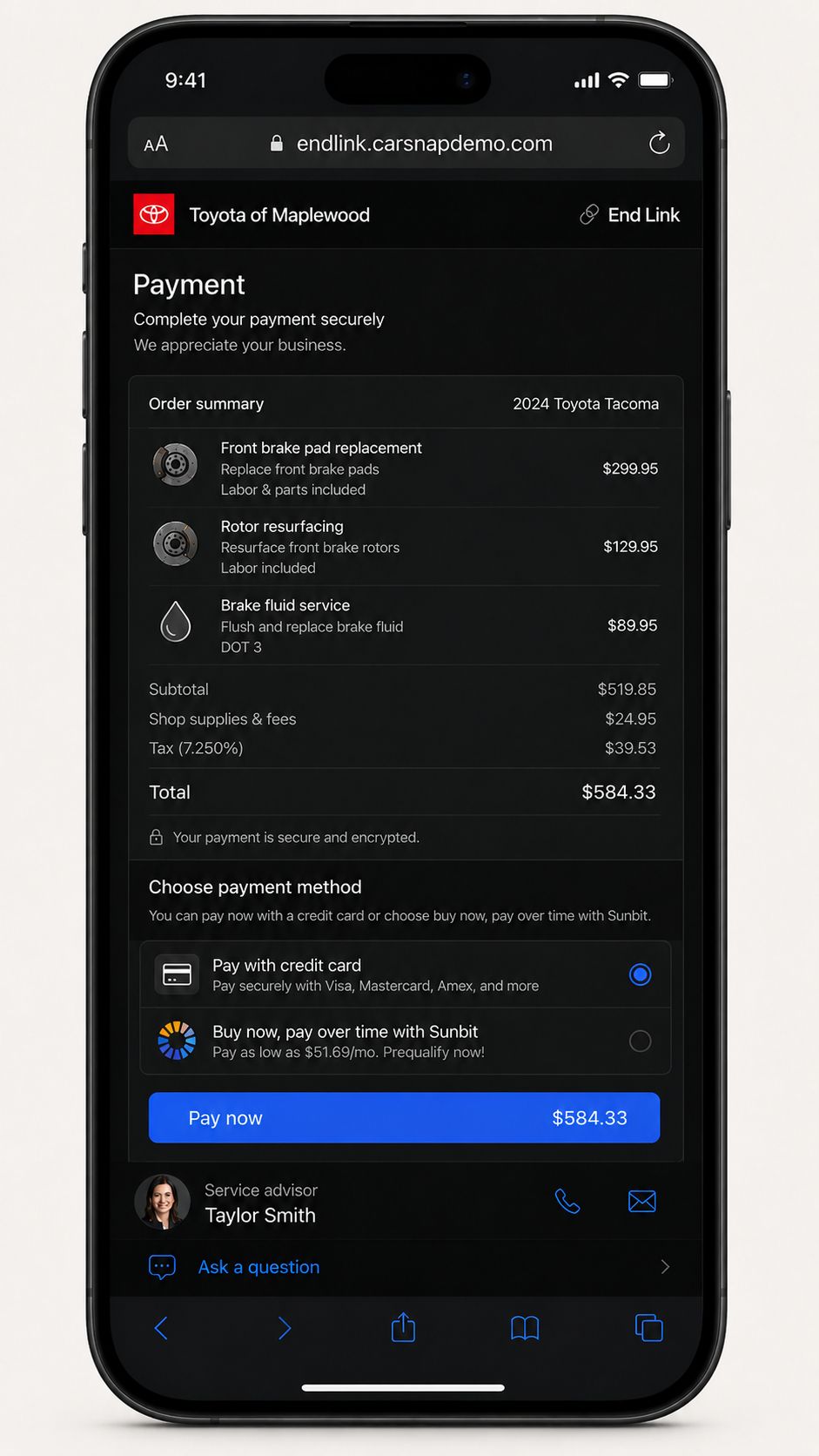
Payment 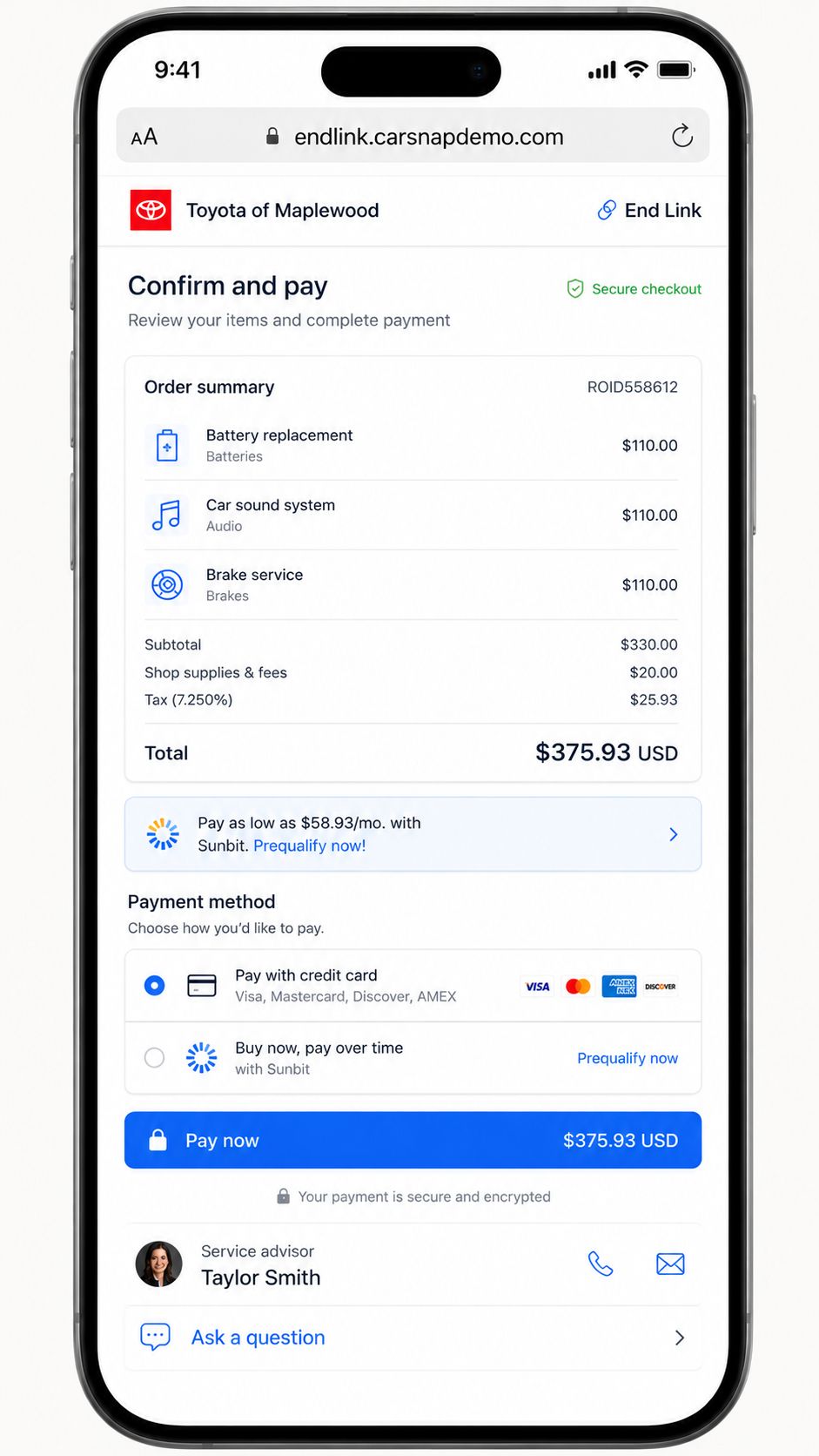
Same flow, another theme
Technician App
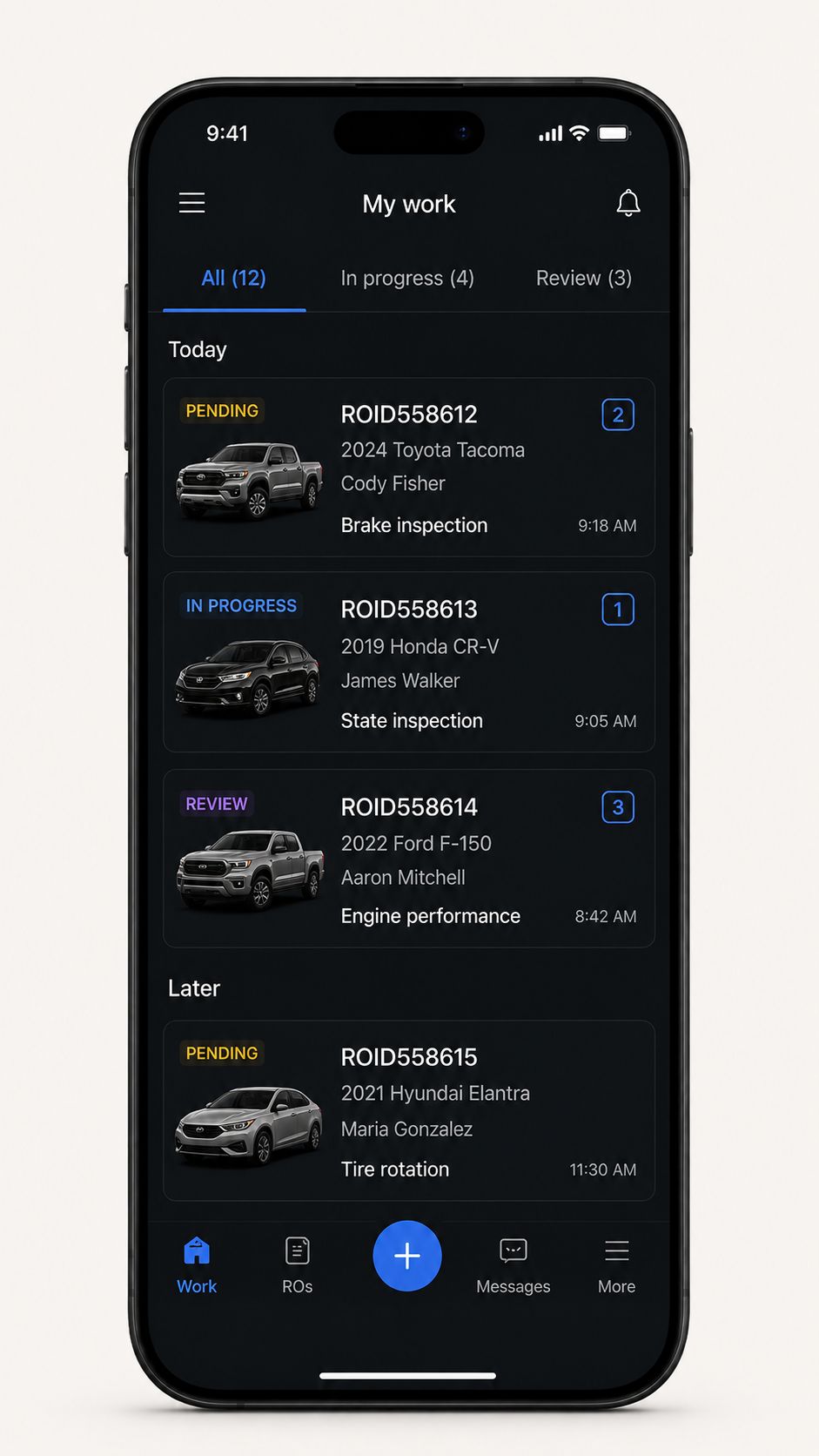
Work queue 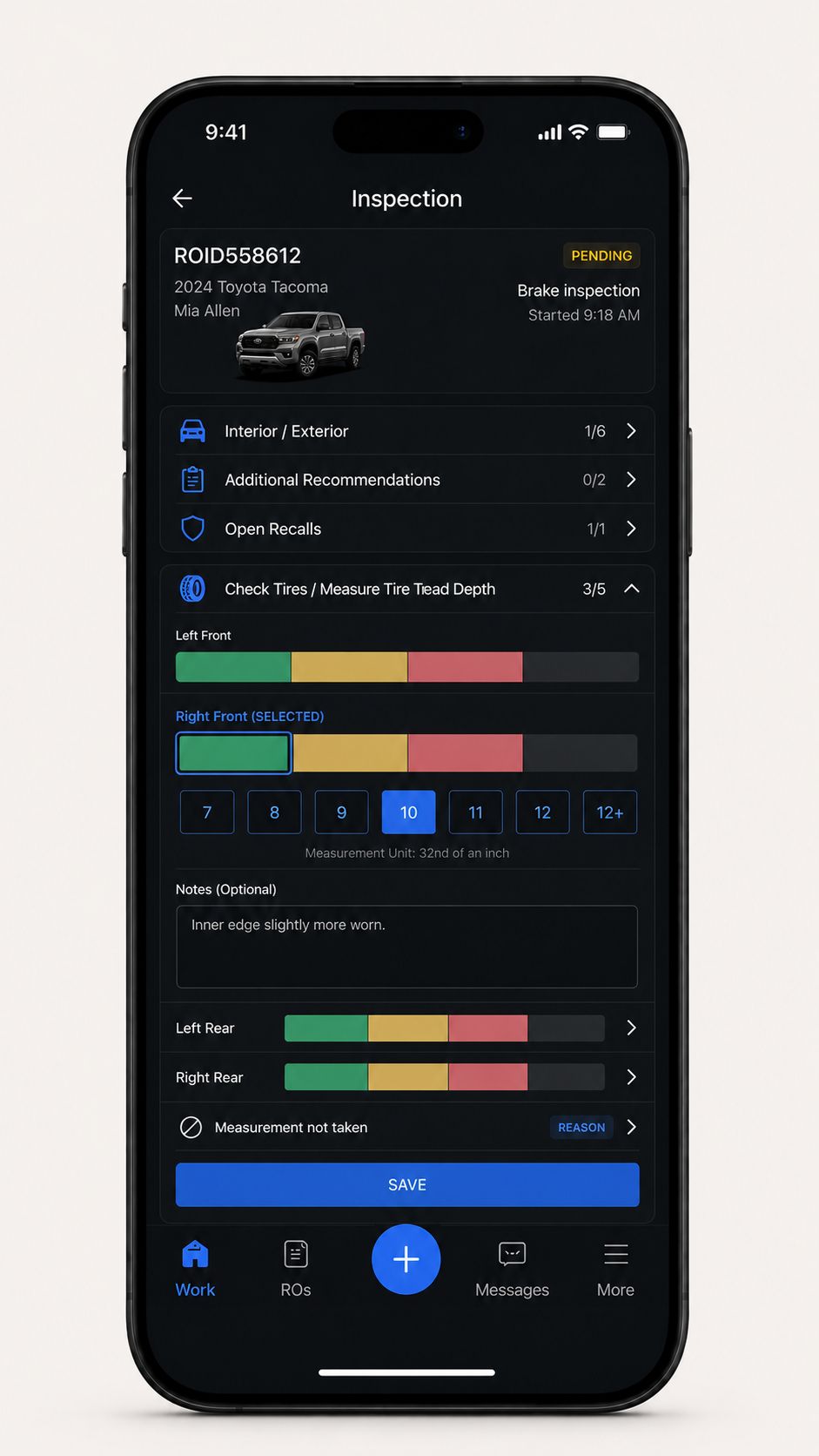
Structured inspection 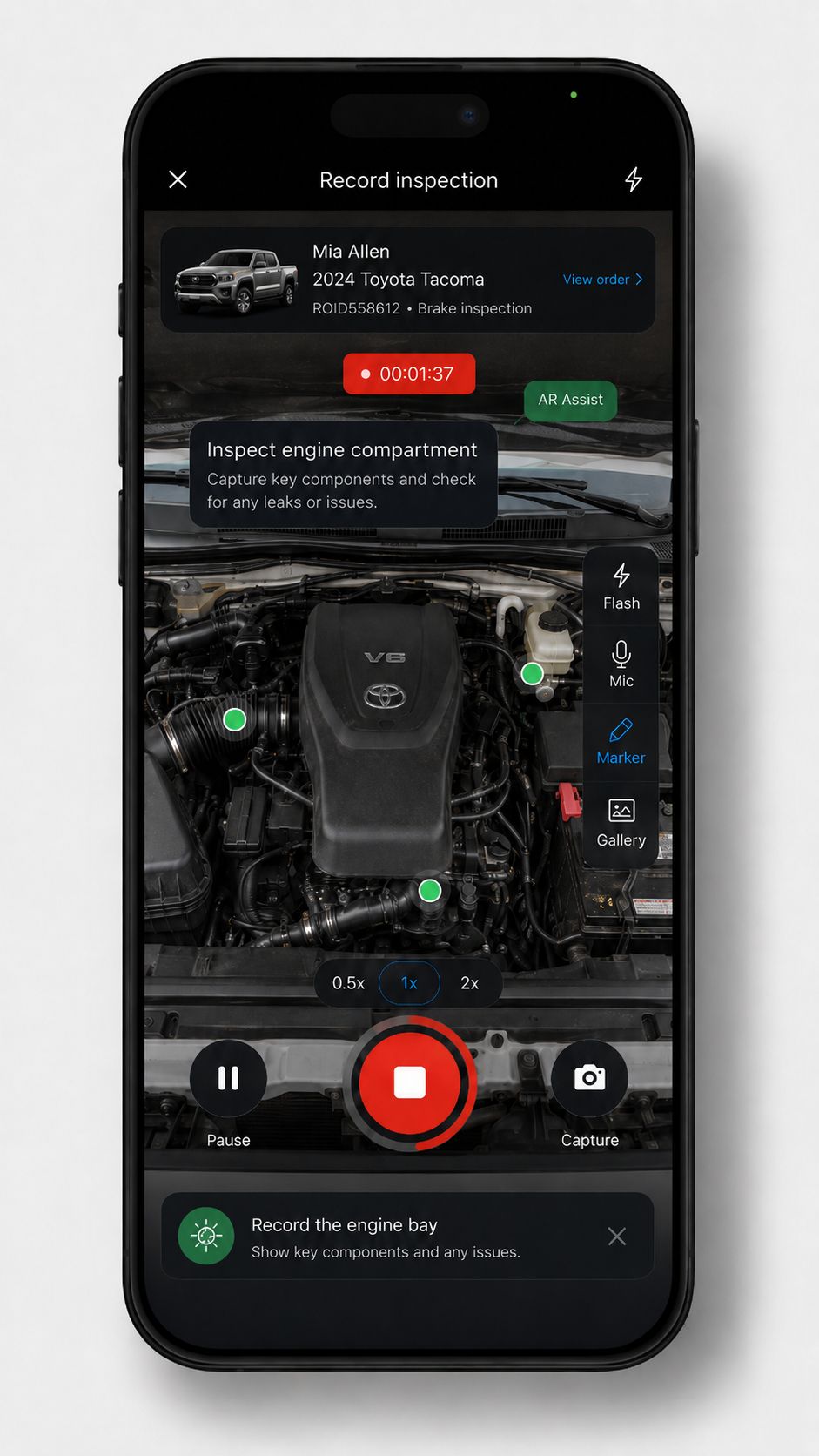
Explored: AR-assisted parts diagnosis. TruVideo later pursued a different partner.
TruVideo reached 28.5 million media uploads in one month. That was a team result.
An internal monthly update recorded that volume in May 2026. It belonged to TruVideo and the teams behind it. My part was the interface around the Repair Order: an advisor could open a job, understand what was happening, and contact the customer from the same place.
Get in touch
Want the NDA-safe walkthrough of the rollout, migration, or the products around the Repair Order? I can talk you through it.