Privoro
I had one month and no direct access to Fulcrum’s users.
Explore Privoro SafeCase- ROLE
- Sole designer
- SCOPE
- Fleet Administration
- YEAR
- 2022
- VIA
- The Design Project
The cluster view was approved. The table is what shipped.
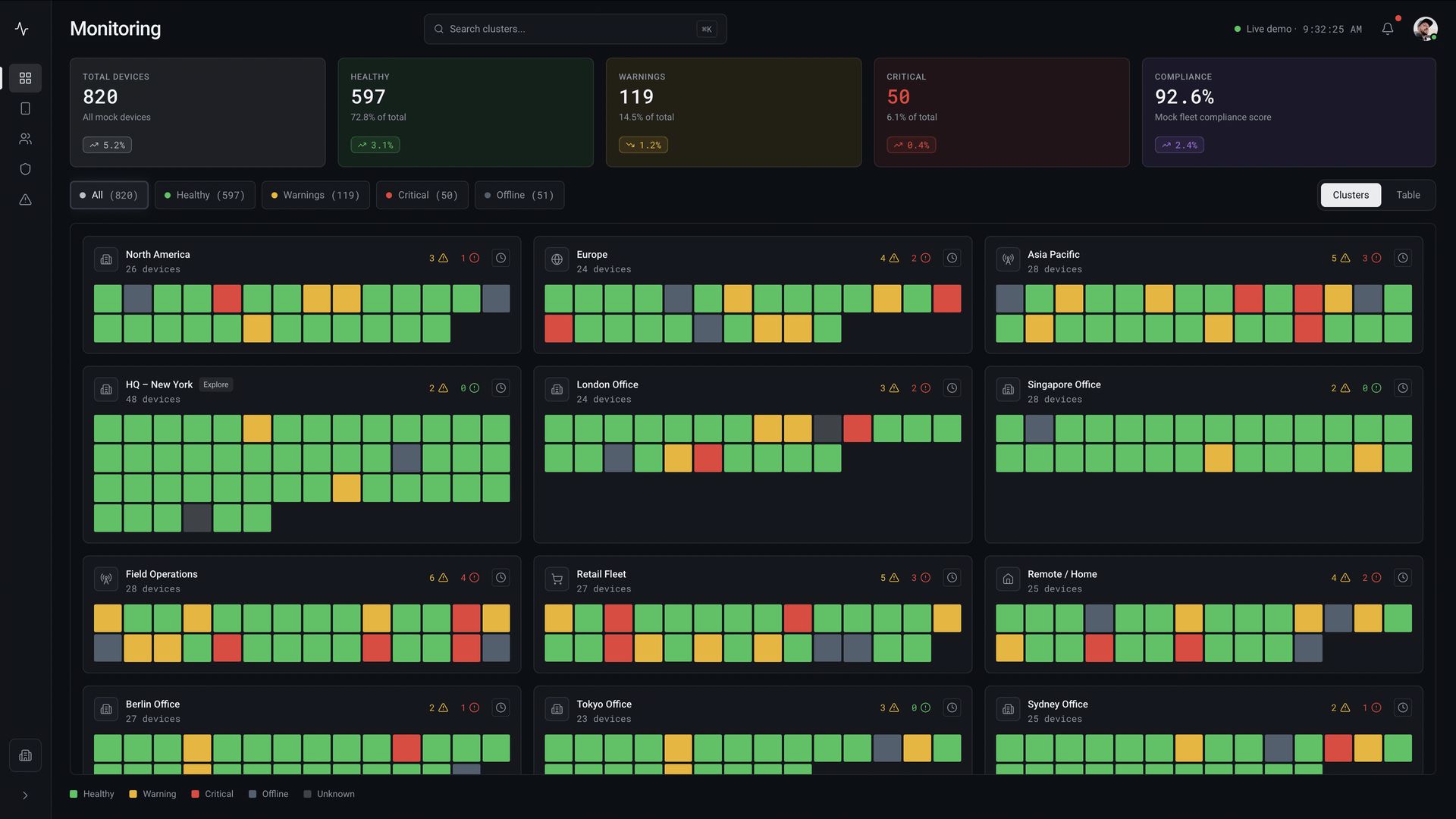
Explored: one cell per device made the condition of the fleet visible before any record 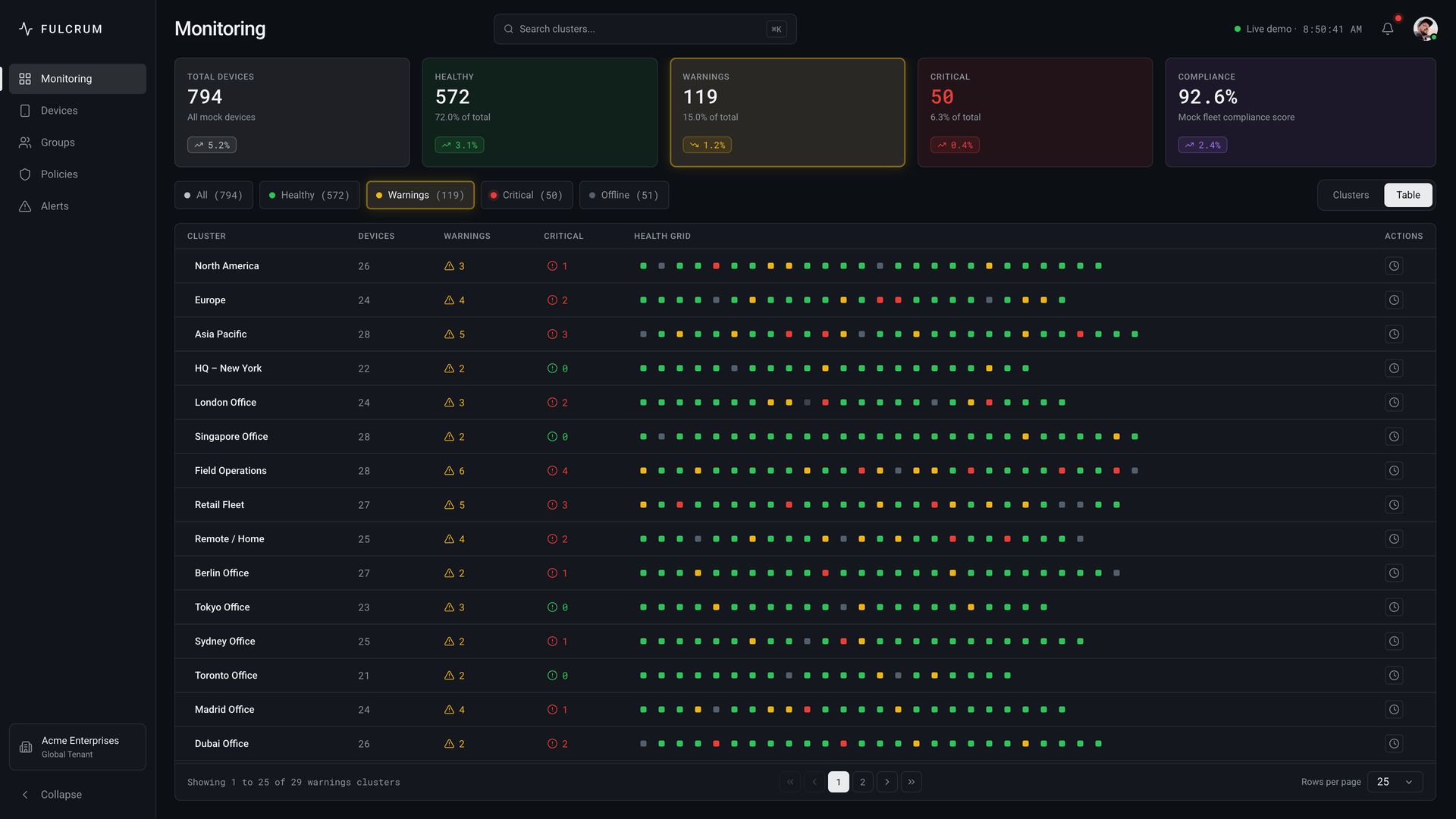
Shipped: one location per row, using the same status colors
All interface media in this case is recreated from the original workflows. Names, dates, and counts are fictitious. The structure and decisions are not.
Privoro’s SafeCase covers a phone’s camera and microphone. Fulcrum manages the people, protected devices, groups, policies, and alerts behind each fleet. Security staff started in Monitoring, while roles and permissions determined which other sections each person could access.
I asked more than once for detailed roles, flows, and any research that existed, but I never received much beyond the product model. I tore down the existing system and worked from what Privoro could confirm instead of inventing needs I couldn’t support.
Monitoring had one primary job: show security staff when the fleet changed. A table was useful for opening one record, but weak at showing the condition of hundreds at once. I had seen Nagios use color across many nodes at OLX, so I explored the same behavior here. Each cell represented a device, and the pattern made healthy, warning, and critical states visible before anyone opened a row.
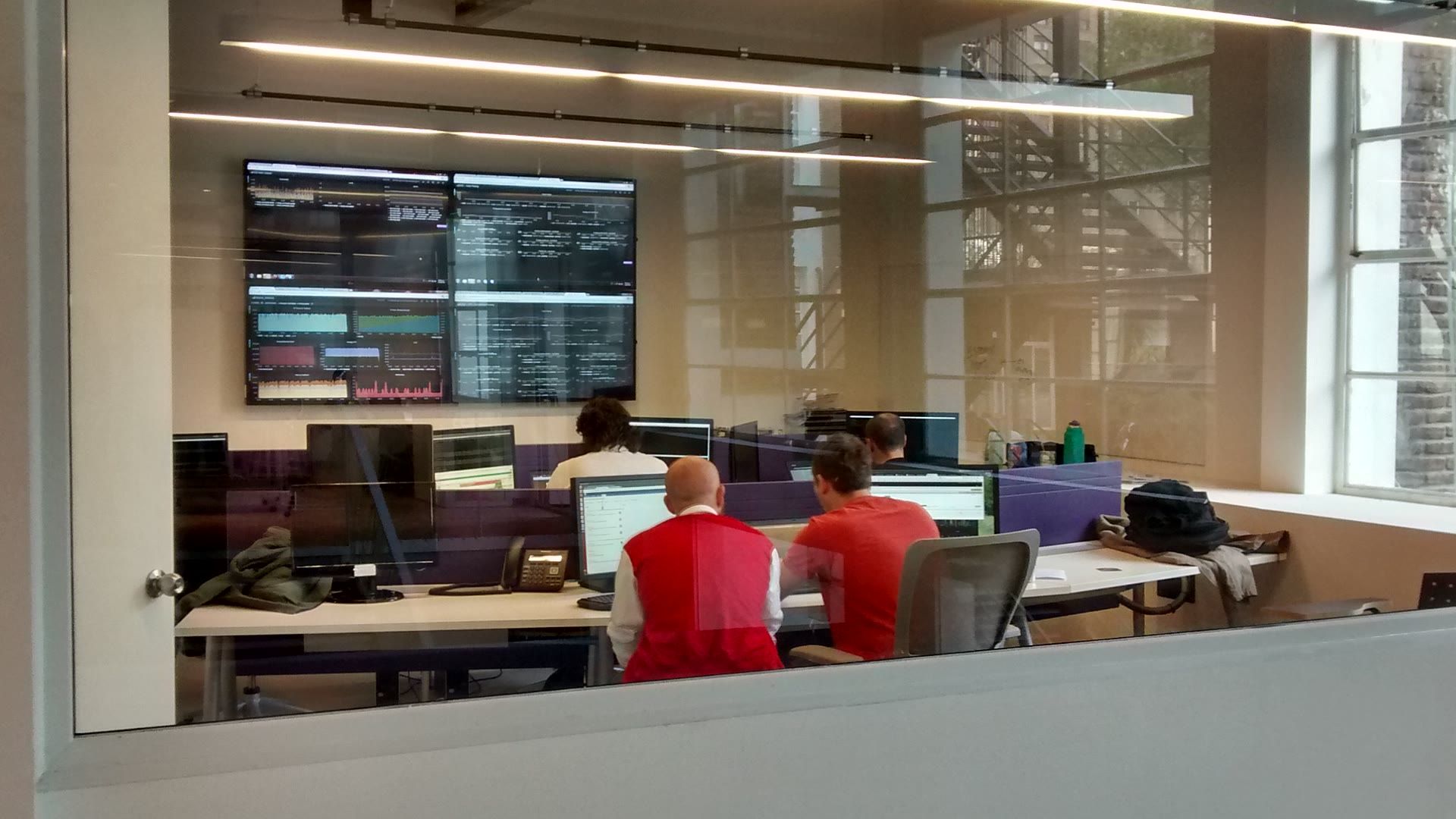
We didn’t have a reliable inventory of the monitor resolutions in use, so I kept the layouts conservative at lower resolutions. The original interface also used high contrast to stay visible on low-pixel-density monitors. I preserved that constraint. The version Privoro would implement still had to fit the CSS and UI capacity available to the team. I designed and specified the table too.
Updating devices one by one was not an option.
Privoro’s 2022 Fulcrum data sheet describes the platform as scalable to thousands of users. In our weekly syncs, the practical examples involved hundreds of devices. Those conversations were not usage data I could verify, but they made the interaction problem clear.
Bulk work started from a table selection. I kept that selection visible, showed mixed values before the administrator changed anything, and left progress on screen while the update ran. Closing a modal and asking someone to check hundreds of records afterward wasn’t a useful confirmation.
A policy could cover a group. Going live was a separate step.
Fulcrum kept user groups and device groups separate. User groups contained members; device groups contained devices. An administrator could assign a policy to either type instead of repeating the same configuration record by record.
Policies couldn’t be rehearsed against the real fleet. Creation and activation had to remain separate.
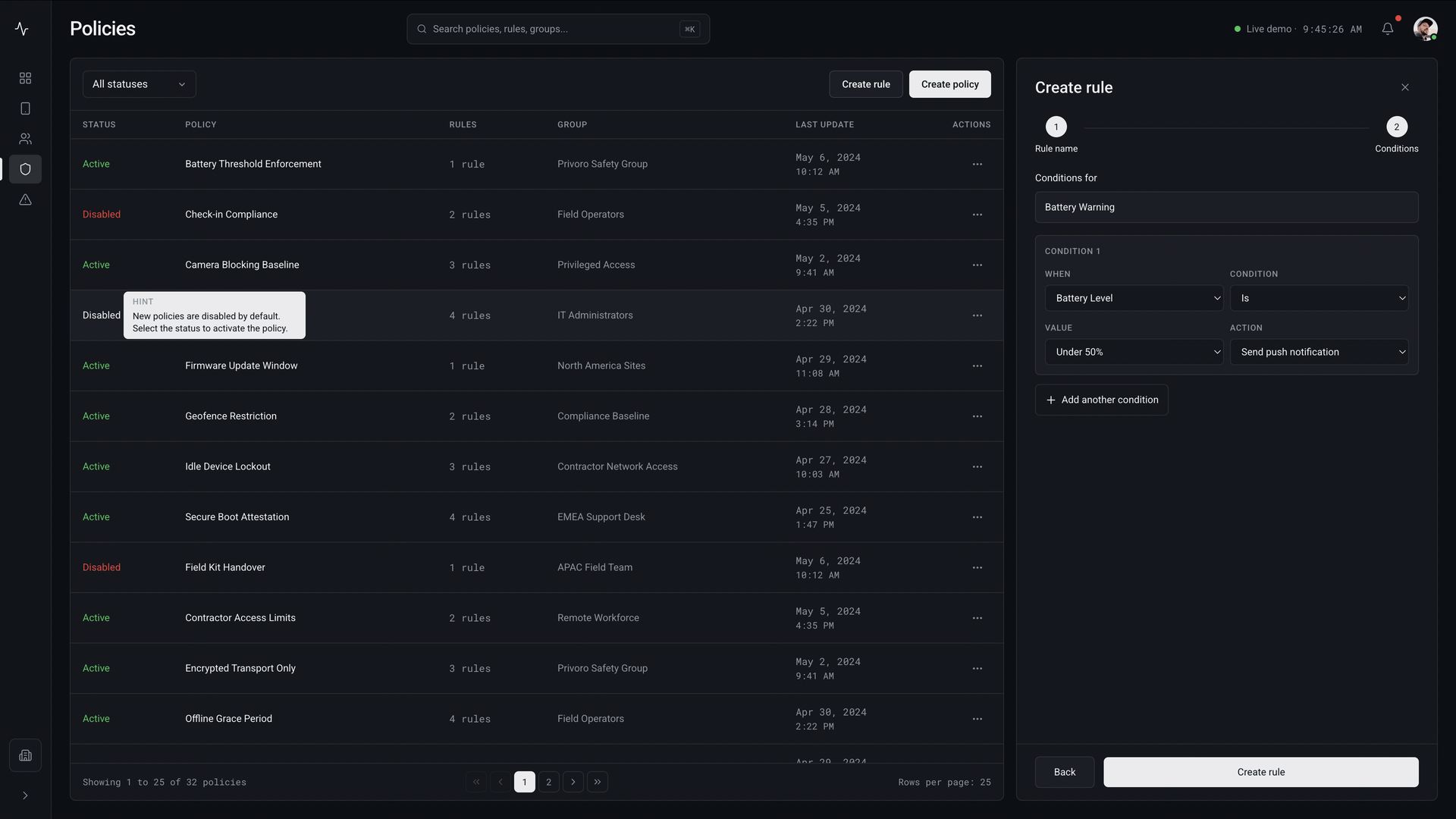
A condition and its resulting action stay in one builder 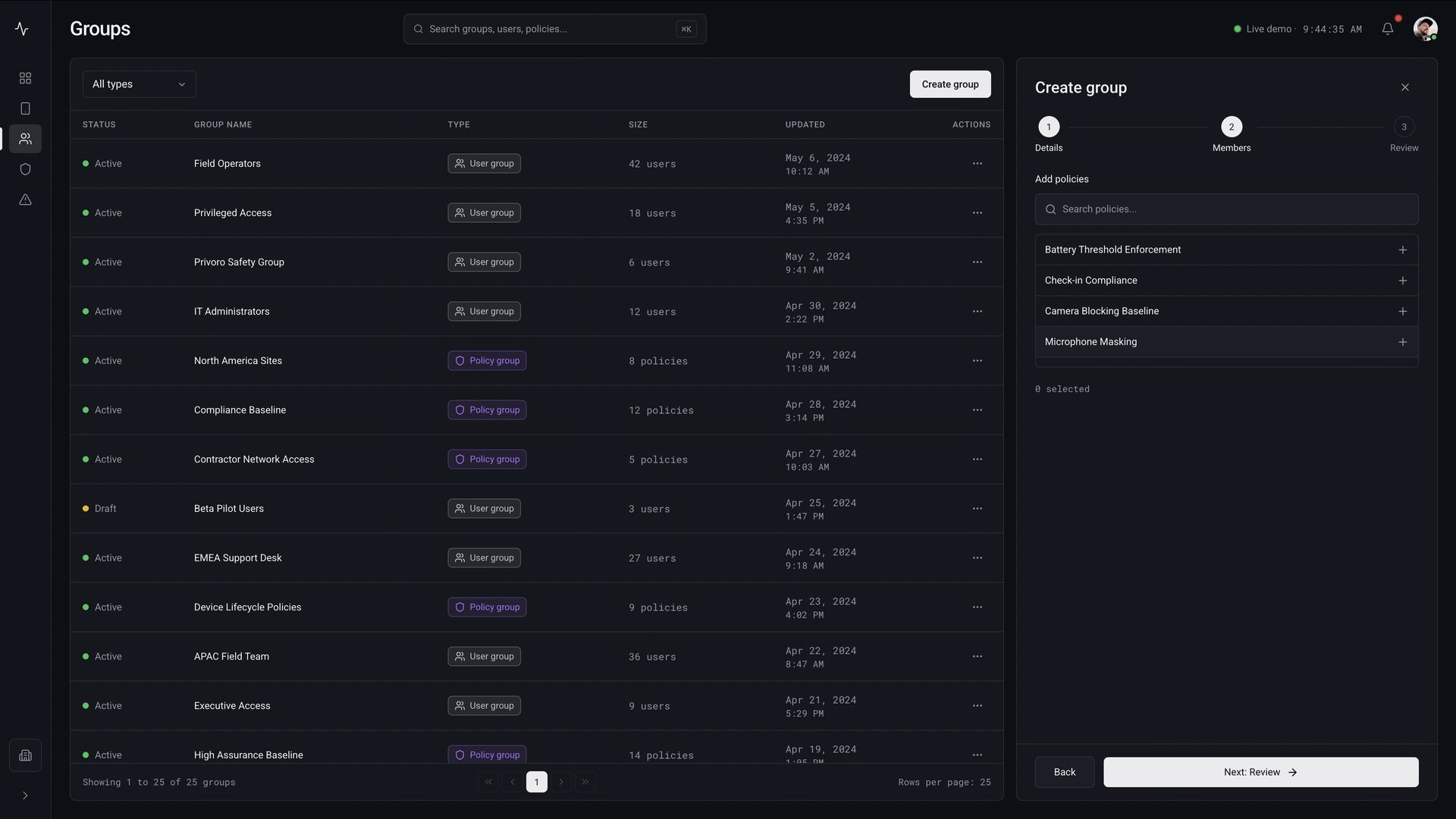
Policies can be assigned while the group is created
Privoro approved the handoff. Its public product still shows the structure.
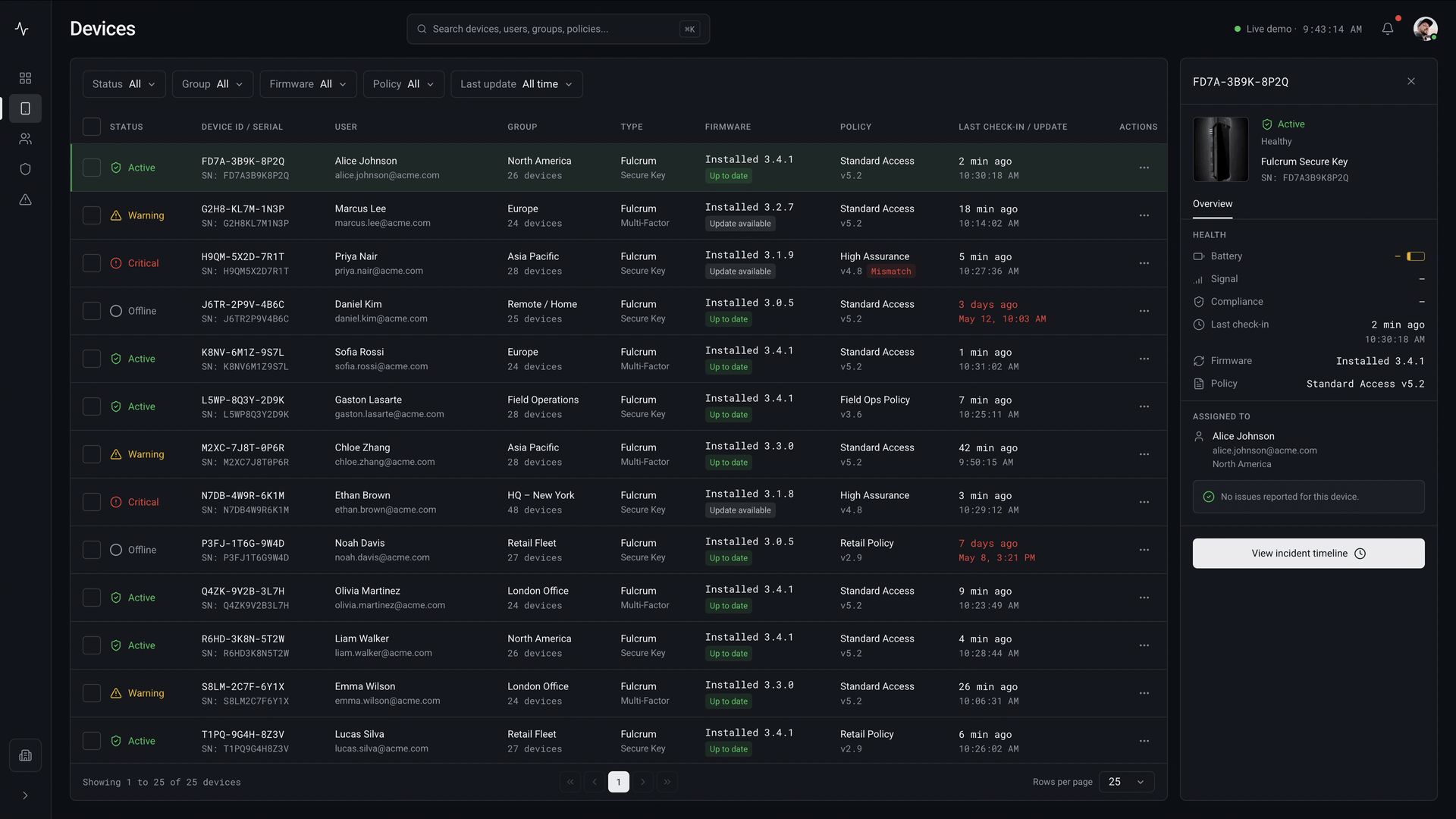
One device keeps its assignment, firmware, and policy together 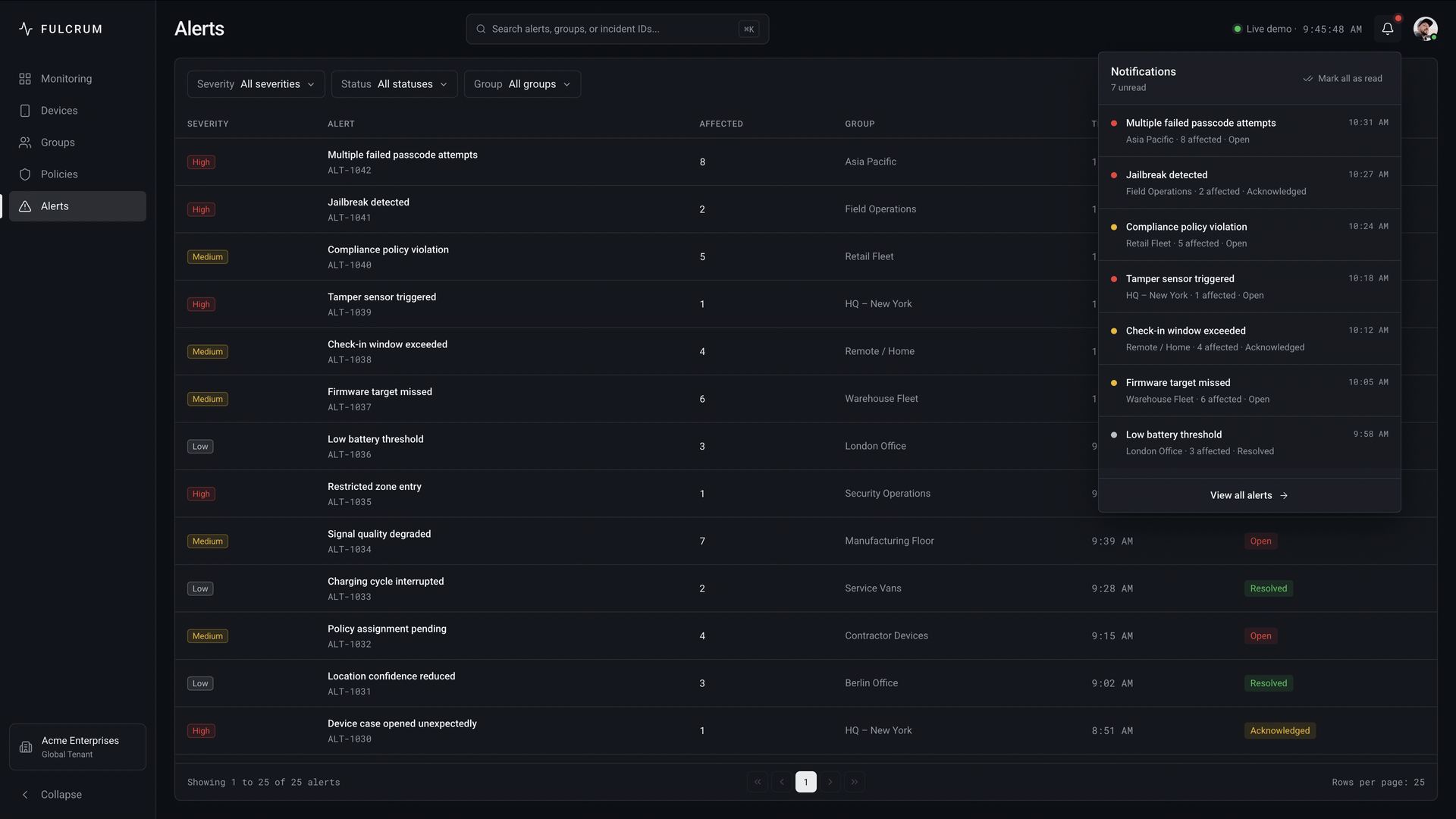
Alert severity reuses the same states as Monitoring
The workflows selected for this case were part of a full administration-system handoff. I delivered the explorations, Figma components, and technical specifications. I was the only designer on Fulcrum; Privoro’s team was responsible for implementation.
I didn’t have access to the live environment, so I couldn’t verify every workflow in production. The person responsible for implementation validated the handoff, and Privoro later published the original interface on its SafeCase page. The table structure is still recognizable there.
Get in touch
Want the full, NDA-safe walkthrough of Fulcrum? Happy to talk it through.